
This blog explains:
- What Track Delivery is
- How to use it
- What Deferred emails mean
- What Failed emails mean
- How long emails are retried
- Common sending and deferred limits
What Is Track Delivery in cPanel?
Track Delivery is a diagnostic feature in cPanel that allows you to monitor outgoing emails from your domain.
How to Access Track Delivery in cPanel:
- Log in to your cPanel
- Go to Email
- Click on Track Delivery
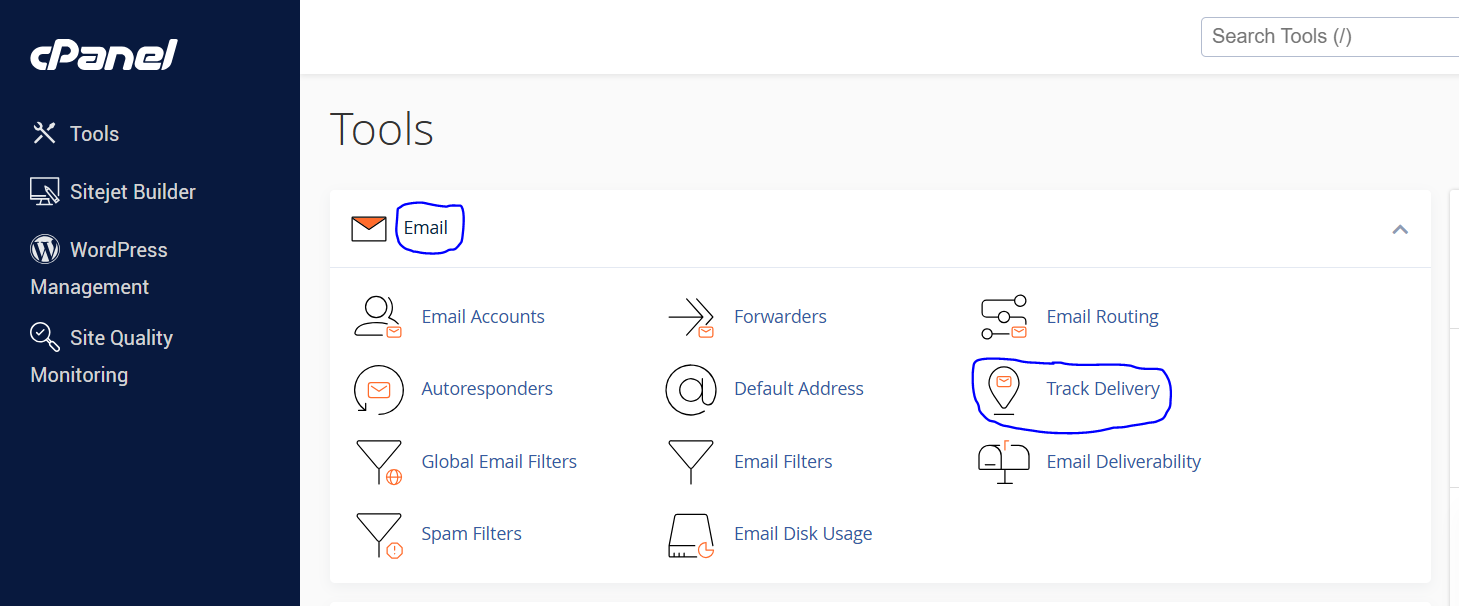
4. After clicking Track Delivery, you will be able to see Delivery Report (As Shown Below).
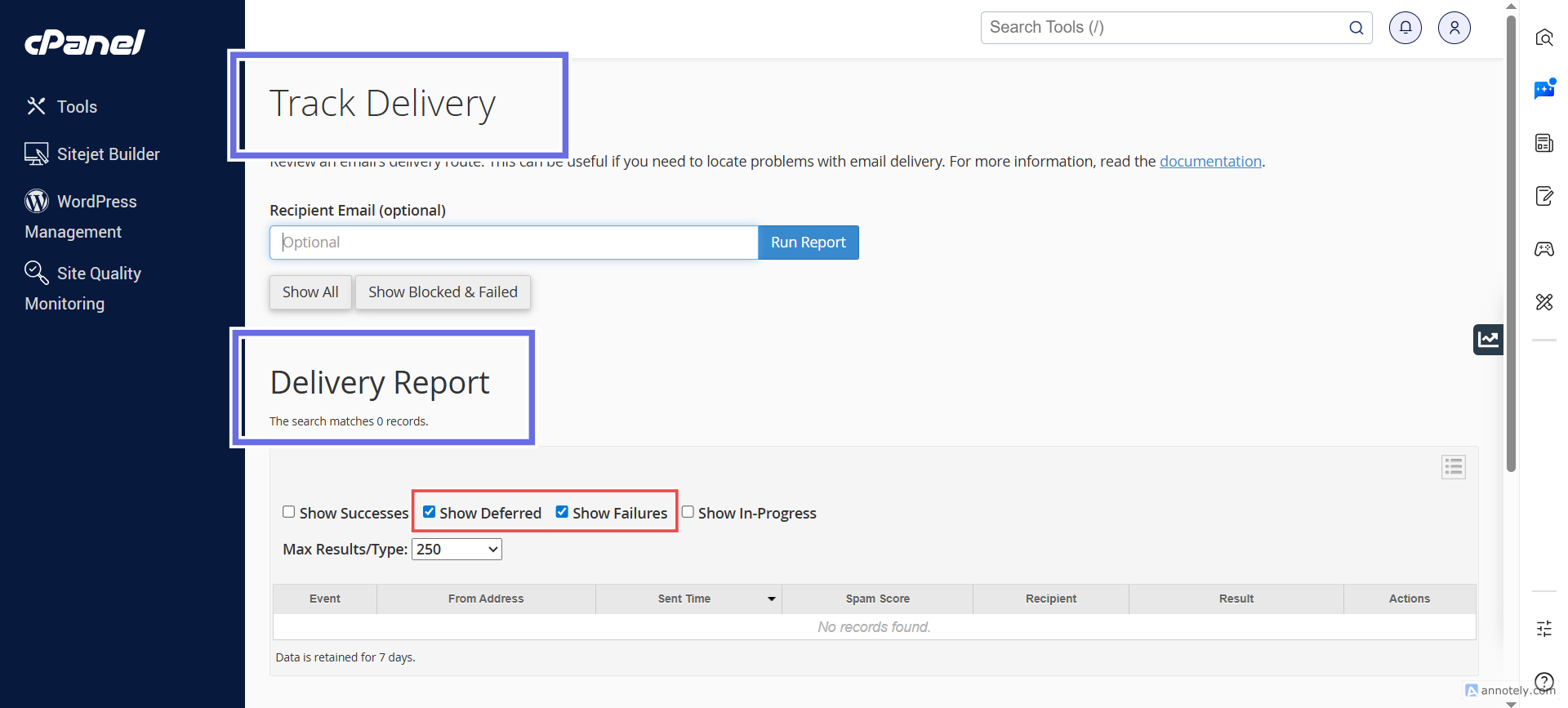
5. To check Failures & Deferred messages, click on 2 check boxes shown above.
What Does “Deferred” Mean?
A Deferred email means:
The recipient mail server temporarily rejected the email, and your server will retry sending it later.
Important:
Deferred does NOT mean failed. The email is still in the queue.What Does “Failed” Mean?
A Failed email means:
The recipient server permanently rejected the message and it will NOT be retried.